Stolen Phone and Your Bank Account: What to Do in the First Hour to Protect Your Money


If your phone is stolen, act in this order: lock the device, call your carrier, then secure your bank and email accounts. A thief with an unlocked phone can reach your wallet apps, your email and your text messages within minutes. Speed matters more than perfection, and the steps below fit into about an hour.
- Why a Stolen Phone Is a Financial Emergency
- Built-In Theft Protection: What Your Phone Can Already Do
- What to Do in the First Hour After Your Phone Is Stolen
- The Days After: Recovery, Watchfulness and Prevention
- Frequently Asked Questions About Stolen Phones and Banking
- Conclusion: Prepare Now, Because the First Hour Goes Fast
Why a Stolen Phone Is a Financial Emergency
Losing a phone used to mean losing a contact list and some photos. Today it can mean losing access to your bank, your payment cards and your identity. That is why the first hour decides how much damage is done.
Your Phone Is Your Wallet, Your Keys and Your ID
Think about what lives on your phone. Banking apps, payment apps, a digital wallet with your cards, saved passwords, email and a messaging app that receives verification codes.
Each of these is a door. Together, they form a chain. A thief who controls your email can reset passwords. A thief who controls your texts can receive codes. A thief who controls your wallet can tap to pay.
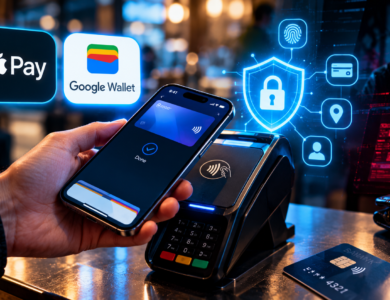
We explored the payment side of this in our guide to digital wallets and tap-to-pay. Wallets are well protected when your phone is locked. They are far less protected when someone knows your passcode.
How Thieves Actually Get In
Modern thieves rarely care about the phone itself. They want what is on it. Many try to learn your passcode first, sometimes by watching you type it in a bar, on public transport or in a queue.
With that code, an unlocked phone can open the door to far more than the screen. A criminal who knows your passcode may be able to change account settings, view saved passwords or move money before you realize the phone is gone.
This is why the passcode is the weakest link in the chain, and why newer phones add protections that do not rely on it alone.
Why Text Message Codes Make It Worse
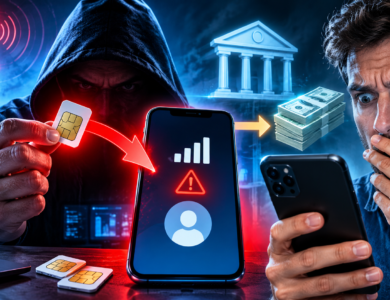
Many services still send a six-digit code by text message when you sign in or reset a password. If a thief holds your phone, those codes arrive in their hands, not yours.
Lock-screen previews make this easier. A message that shows its code on a locked screen can be read without ever unlocking the phone. That is why it pays to hide notification content on the lock screen and to move key accounts to an authenticator app or a passkey, which do not depend on text messages.
Replacing your SIM later does not fix this by itself. The codes only stop reaching the thief once your carrier has suspended or moved the line, which is why the carrier call comes so early in the plan below.
The Clock Is Running
Speed is your biggest advantage. The window between theft and misuse is often short, because thieves know that phones can be locked and wiped remotely.
You do not need to do everything at once. You need to do the right things in the right order. The next sections set out that order.
Built-In Theft Protection: What Your Phone Can Already Do
Both major phone makers now include features designed for exactly this situation. Many people have never turned them on. Setting them up today is the best preparation you can make.
Apple’s Stolen Device Protection
Apple’s Stolen Device Protection arrived with iOS 17.3. It applies extra rules when your iPhone is away from familiar places such as home or work.
Away from those places, several sensitive actions require Face ID or Touch ID with no passcode fallback. According to Apple, these include using saved passwords and passkeys, using payment methods saved in Safari, and turning off Lost Mode. Apple Pay purchases can still use your passcode.
Other changes go through a Security Delay. You authenticate, wait one hour, then authenticate again. Apple lists changing your Apple Account password, changing your passcode and turning off Stolen Device Protection among them. That hour gives you time to mark the phone as lost.
To turn it on, open Settings, then Face ID & Passcode, and look for Stolen Device Protection. It requires two-factor authentication, Find My and a few location settings. It must be on before the theft, not after.
Google’s Android Theft Protection
Google has built a similar set of tools into Android. Theft Detection Lock uses sensors to recognize when a phone is snatched from your hand and locks the screen. Offline Device Lock protects the phone if a thief cuts its connection.
Remote Lock lets you lock a lost phone from another device using only your phone number and a security check, even if you cannot sign in to your usual account. Google reported in January 2026 that it was strengthening these protections. Theft Detection Lock became enabled by default, and Remote Lock gained an optional security question.
Identity Check, which Google has extended, can require biometrics instead of a PIN in sensitive situations, including some third-party banking apps. You can set a trusted place, such as home, where the extra check is relaxed. Features vary by phone model and Android version, so check your own settings.
Banking App Protections
Your bank adds its own layers. Most banking apps require a separate login and do not stay open indefinitely. Many support biometric sign-in, device registration and instant card freezes.
We looked at how face and palm sign-in work in our article on biometric payments. The main point is simple. A biometric is harder to steal than a code someone watched you type. Where your bank offers it, choose it over a PIN alone.
What Each Layer Protects
| Layer | What It Protects | What It Cannot Do |
|---|---|---|
| Screen lock with biometrics | Access to the phone | Stop a thief who watched your passcode |
| Stolen device features | Sensitive settings and saved passwords | Work if you never turned them on |
| Find My or Remote Lock | Locating, locking and erasing the phone | Help if the phone is switched off or offline |
| Bank app login | Access to your accounts | Stop a card in a wallet being used |
| Card freeze in the bank app | New card payments | Reverse payments already made |
What to Do in the First Hour After Your Phone Is Stolen
Here is the plan. It is ordered by risk, not by convenience. Follow it from the top, and use another device, such as a laptop, a partner’s phone or a friend’s.
Step 1: Lock or Erase the Device
Sign in to your phone’s tracking service from another device. On an iPhone, that is Find My. On Android, it is Google’s Find Hub or the Remote Lock page.
Mark the phone as lost. This locks it and can display a message with a contact number. Do not try to confront the thief or retrieve the phone yourself. If you can see the location, give it to the police and leave the rest to them.
Erase the phone only after you have decided that recovery is unlikely. An erase removes your ability to locate it, so lock first and wipe later.
Step 2: Call Your Mobile Carrier
Your phone number is the key to your text messages, and many services use it to send verification codes. Ask your carrier to suspend the line or move the number to a new SIM.
This stops the thief from receiving your codes and from making calls on your account. It also protects your plan from charges. Ask the carrier to add a security PIN to your account so no one else can transfer the number.
Step 3: Freeze Your Cards and Alert Your Bank
Open your bank’s website on another device, or call the number on the back of your card. Freeze the cards linked to your phone, or replace them.
Tell your bank that your phone was stolen. Banks can watch your accounts more closely and may lock mobile access. Ask them to block new devices from being registered and to review recent activity.
Remove your cards from your digital wallet using the wallet’s web service, if you can. This stops any chance of tap-to-pay use.
Step 4: Secure Your Email and Key Accounts
Your email is the master key. Change that password first, then sign out of all active sessions on your email account.
After email, work through your most valuable accounts in this order:
- Banking and investment accounts
- Payment apps such as peer-to-peer services
- Your Apple or Google account
- Social media and messaging accounts
- Shopping accounts with saved cards
If you use a password manager, change its master password and sign out of the lost device. We explained why passkeys are becoming the stronger option in our article on passkeys and your bank account. A passkey is tied to the phone and its biometrics, but you should still remove the lost device from your account.
Step 5: Report the Theft
File a police report. Banks, insurers and carriers often ask for a report number, and it can support a later dispute or insurance claim. Note the time, place and details of the theft while you remember them.
If the theft involved violence or threats, put your safety first and contact emergency services immediately.
Your First-Hour Checklist
| Order | Action | Who You Contact | Why It Matters |
|---|---|---|---|
| 1 | Lock the phone remotely | Find My or Google Find Hub | Stops access to apps and data |
| 2 | Suspend the line | Your carrier | Blocks codes and calls |
| 3 | Freeze cards | Your bank | Stops card payments |
| 4 | Change email password | Your email provider | Protects password resets |
| 5 | Secure other accounts | Each provider | Closes remaining doors |
| 6 | File a report | Local police | Creates a record for disputes |
The Days After: Recovery, Watchfulness and Prevention
The first hour limits the immediate damage. The days that follow decide whether anything slips through. This is also the right time to rebuild your setup so the next theft is less costly.
Watch for Follow-Up Scams
Thieves sometimes message the owner. A text might say your phone has been found and ask you to sign in on a link. That link leads to a fake page designed to steal your Apple or Google login.
Treat any message about your lost phone as suspect. Go to the official service by typing the address yourself. Our guide to imposter scams describes the pressure tactics criminals use.
Monitor Your Accounts and Credit
Check your bank statements daily for the first couple of weeks. Look for small test payments, which thieves use to see whether a card still works.
If your personal details were exposed, consider placing a credit freeze with the three credit bureaus. In the United States, freezes are free and block new accounts opened in your name. Review your credit reports for accounts you do not recognize.
Know Your Rights on Disputes
Rules on unauthorized transactions vary by country, payment method and how quickly you report. In the United States, the Electronic Fund Transfer Act and card network rules generally limit what you owe when you report problems promptly.
Do not assume you are covered regardless of timing. Reporting quickly and keeping a record of your calls and reference numbers strengthens your case. Check your bank’s policy and your local rules.
Set Up Your Next Phone Better
When you get a replacement, treat it as a chance to improve. Turn on every theft feature, set a long passcode, and use biometrics for sensitive apps.
Do these things on day one:
- Use a six-digit or longer passcode, or an alphanumeric one, instead of a short code.
- Turn on stolen device or theft protection features.
- Set the screen to lock automatically after a short time.
- Hide notifications on the lock screen so codes are not visible.
- Store a recovery method for your accounts away from your phone.
Also think about who can learn your habits. Data brokers sell profiles that make a thief’s follow-up scams more convincing, as we describe in our article on data brokers and your financial privacy.
Frequently Asked Questions About Stolen Phones and Banking
Can a thief access my bank account from my stolen phone?
It is difficult if your phone is locked and your banking app needs its own login. The risk rises sharply if the thief knows your passcode, because they may reach saved passwords and settings. Lock the phone remotely and call your bank quickly.
Should I erase my phone right away?
Lock it first. Erasing removes your ability to track it and, on some systems, can limit your options. Once you decide that recovery is unlikely, erase the phone to protect your data.
Will my bank refund money taken from a stolen phone?
It depends on your country, the type of transaction and how quickly you report it. Prompt reporting helps in most systems, but there are no guarantees. Contact your bank immediately and ask about its process.
What if my phone is off or offline?
Remote lock and tracking need a connection. If the phone is switched off, your commands will wait until it reconnects. In the meantime, secure your accounts from another device, so the thief has nothing to find when it comes online.
Do I need to cancel my cards?
If cards were stored in your wallet or your banking app, freezing or replacing them is a safe step. Your bank can tell you whether a freeze is enough or whether a new card number is wise.
Is it safe to use a four-digit passcode?
Four digits is the weakest option. Longer passcodes are far harder to guess and watch. If you often use your phone in public, choose a longer code and use biometrics where possible.
Should I change my phone number after a theft?
Usually not. Suspending the line and adding a security PIN at your carrier is normally enough. A new number is worth considering only if you receive repeated attempts to reach your accounts.
Conclusion: Prepare Now, Because the First Hour Goes Fast
A stolen phone is stressful, but it does not have to become a financial disaster. Lock the device, call your carrier, freeze your cards and secure your email. That sequence closes the most dangerous doors first.
The best protection happens before the theft. Turn on your phone’s theft features, use a long passcode and keep your recovery options somewhere other than the phone itself. Ten minutes of preparation today can save you days of trouble.
This article is for general information only and is not financial, legal or security advice. Features, settings and consumer protections vary by device, bank and country, so check your own provider’s guidance.