Is Public Wi-Fi Safe for Mobile Banking? What Still Puts Your Money at Risk in 2026 and What Doesn’t

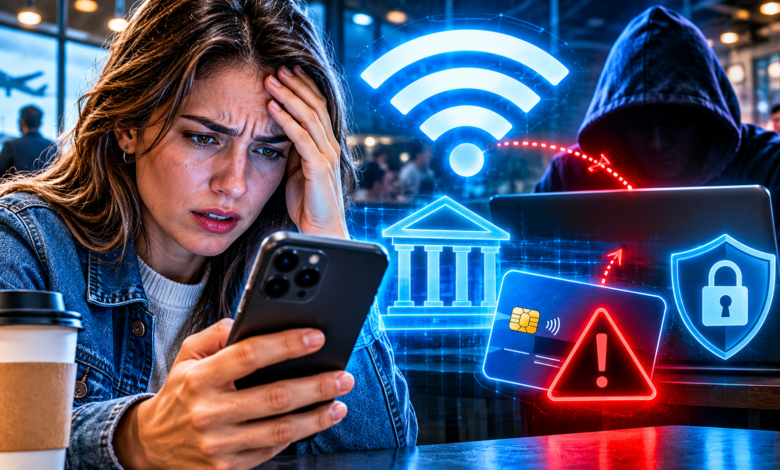
Mostly yes, but not for the reasons people think. Modern banking apps and websites encrypt your data, so a stranger on the same café network usually cannot read your balance. The real dangers are fake hotspots, look-alike login pages and an outdated phone, and each one is easy to avoid once you know what to look for.
- What Actually Happens When You Bank on Public Wi-Fi?
- The Real Public Wi-Fi Threats Worth Worrying About
- Do You Need a VPN for Banking on Public Wi-Fi?
- How to Protect Your Money on Public Wi-Fi: A Practical Plan
- What to Do If You Think You Used a Fake Network
- Frequently Asked Questions About Public Wi-Fi and Banking
- Is it safe to check my bank balance on public Wi-Fi?
- Is mobile data safer than Wi-Fi for banking?
- Does the padlock icon mean a website is safe?
- Is hotel Wi-Fi safer than airport Wi-Fi?
- Should I use a VPN every time I use public Wi-Fi?
- Can someone hack my phone just because I joined a public network?
- What should I never do on public Wi-Fi?
- Conclusion: Treat the Network as Untrusted, and Your Money Stays Safe
What Actually Happens When You Bank on Public Wi-Fi?
For years, the standard advice was blunt: never check your bank account on public Wi-Fi. That advice made sense in 2010, when much of the web was unencrypted. It is only half right today. To protect your money, you need to know what has changed and what has not.
How Encryption Protects You Now
When you open your banking app, your phone creates an encrypted connection to the bank’s servers. Think of it as a sealed envelope. The Wi-Fi network carries the envelope, but it cannot open it.
This is why banking on public Wi-Fi is far less dangerous than it used to be. Encryption of this kind, known as HTTPS or TLS, is now the norm across the web. Google’s transparency data shows that the large majority of Chrome page loads already use HTTPS, with most platforms above 95% for public sites.
Browsers are also getting stricter. Google has said that, starting with Chrome 154 in October 2026, Chrome will ask for your permission before it first loads a public site that lacks HTTPS. Unencrypted pages are becoming rare, and your browser will warn you about the few that remain.
What Encryption Does Not Protect
Encryption protects the content of your connection. It does not protect you from everything else that can go wrong around it.
Here is what stays exposed on an open network:
- The fact that you connected. The network operator can see which services your device contacts, even if not what you did there.
- Your device itself. If your phone has unpatched software, a nearby attacker may try to exploit it.
- Your own decisions. A convincing fake login page does not need to break encryption. It only needs you to type your password into it.
That last point is the heart of the matter. Most public Wi-Fi losses do not come from someone cracking an encrypted bank session. They come from people being tricked into handing over credentials.
Risk vs. Reality: A Quick Comparison
| Common Fear | How Real Is It in 2026? | What Actually Helps |
|---|---|---|
| A stranger reads your bank balance over the air | Low for modern apps and HTTPS sites | Use the official banking app |
| A fake hotspot steals your login | Real, especially in airports and hotels | Verify the network name; prefer cellular data |
| A fake sign-in page captures your password | Real and common | Never enter bank details on a Wi-Fi sign-in page |
| Malware spreads through the network | Possible on unpatched devices | Keep your phone updated |
| Your data is intercepted despite HTTPS | Rare, but possible after a certificate warning | Never tap past a security warning |
The Real Public Wi-Fi Threats Worth Worrying About
If encryption does most of the heavy lifting, the remaining threats are about deception. Attackers have shifted from breaking in to tricking you into opening the door.
Evil Twin Hotspots
An evil twin is a fake Wi-Fi network that copies the name of a real one. You might see “Airport_Free_WiFi” twice in your list. One belongs to the airport. The other is a laptop or small device in someone’s bag.
Joining the fake network does not break your banking app’s encryption. But it lets the attacker control what you see. They can redirect you to a counterfeit page, push a fake software update or watch which sites you visit.
Phones make this easier than it should be. Many devices rejoin any network that matches a saved name, so a twin can pull in people who never chose to connect.
Fake Sign-In Pages
Many hotspots show a sign-in or “accept terms” page before you get online. These pages are called captive portals, and they are ideal for impersonation.
A malicious portal might say your session has expired and ask you to log in with your email, social account or even your bank. A legitimate hotspot has no reason to ask for banking credentials. If a Wi-Fi page requests anything beyond an email address or a room number, close it.
Be careful with QR codes too. A sticker on a café table that promises “scan to get free Wi-Fi” can lead to a spoofed page. Verify the network name with staff rather than trusting a code stuck on a table.
Outdated Phones and Apps
A phone that has not been updated is easier to attack than one that has. Security patches close holes that criminals actively use. When you connect to a shared network, other devices on it can probe yours.
This is a quiet risk, because nothing looks wrong. Keeping your operating system and banking app current takes minutes and removes a large share of the danger.
Do You Need a VPN for Banking on Public Wi-Fi?
A VPN, or virtual private network, is often sold as the cure for every public Wi-Fi worry. The truth is more modest. A VPN helps in specific ways, and it creates new risks of its own.
What a VPN Actually Does
A VPN creates an encrypted tunnel from your phone to a server run by the VPN company. The hotspot operator sees only that tunnel, not the sites inside it.
That has real value. It hides your browsing from the network owner, and it adds a layer of protection if you end up on a poorly secured connection. It also helps if an app or site is still using a weak connection.
What a VPN Cannot Fix
A VPN does not stop you from typing your password into a fake page. It does not patch an outdated phone. It does not undo a scam in which you are talked into approving a transfer.
Moving your trust is also part of the deal. With a VPN, the company running the tunnel can see what the hotspot operator would have seen. You are choosing whom to trust, not removing trust from the equation.
The Free VPN Problem
The Federal Trade Commission has long advised consumers to be careful when choosing a VPN app. Its guidance says to research an app before you install it, review the permissions it asks for, confirm that it actually encrypts your information and check whether it shares your data with third parties.
That advice matters most for free apps. Running servers costs money. If you are not paying, the provider may be earning from advertising, data collection or both. Sending your traffic through a company with a weak privacy record can leave you worse off than using the hotspot directly.
VPN vs. Other Options
| Option | Protects Against | Does Not Protect Against | Cost |
|---|---|---|---|
| Official banking app on cellular data | Hotspot snooping and fake networks | Phishing messages, stolen phone | Included in your plan |
| Phone hotspot (tethering) | Strangers on shared Wi-Fi | Malware, scams | Uses your data allowance |
| Reputable paid VPN | Network operator snooping | Fake login pages, outdated software | Monthly fee |
| Free VPN app | Varies widely | Often unclear, may collect data | Free, with possible hidden costs |
| Public Wi-Fi with no extra protection | Only built-in HTTPS | Fake hotspots, rogue portals | Free |
How to Protect Your Money on Public Wi-Fi: A Practical Plan
You do not have to avoid public Wi-Fi altogether. You need a few steady habits, applied the same way every time. Here is a plan that fits in your head.
Make Cellular Data Your Default for Money Tasks
The simplest rule is the most effective. When you handle banking, payments or anything sensitive, switch off Wi-Fi and use mobile data.
Your cellular connection is not shared with strangers in the room. It also sidesteps evil twins and fake portals entirely. For most people, this one habit removes most of the risk discussed in this article.
If your data plan is limited, banking apps use very little. Checking a balance or approving a payment uses a tiny amount compared with video or music.
Lock Down Your Phone’s Wi-Fi Settings
Your phone’s default settings favor convenience. A few changes tilt them toward safety:
- Turn off auto-join for open networks, so your phone cannot connect without asking.
- Forget old networks you no longer use, especially hotels and airports.
- Disable file and device sharing while you are on a public network.
- Turn Wi-Fi off when you leave a place instead of leaving it searching in your pocket.
- Confirm the exact network name with staff before you connect.
These steps take about five minutes and then protect you passively.
Use the Official App, Not a Browser Link
A banking app from the official store is built to check that it is talking to the real bank. A link in a text message or email is a different matter. It may lead to a counterfeit site.
Type the bank’s address yourself, or use the app you installed. If you are unsure which app is genuine, go to the bank’s own website and follow the link to the store from there.
Strengthen the Account Itself
Assume that, one day, someone will get your password. Your account should survive that day. This is where strong sign-in methods earn their keep.
Passkeys are the best option where your bank supports them, because they cannot be typed into a fake page. We explain how they work in our guide to passkeys and what they mean for your bank account. If passkeys are not available, use an authenticator app rather than text messages, and turn on transaction alerts so you see activity instantly.
Keep Your Digital Footprint Small
The less criminals can learn about you, the less convincing their scams become. Many fake pages and messages rely on personal details bought or scraped from the web. Our article on data brokers and your financial privacy explains how that information is collected and how to take some of it back.
It also pays to learn the typical scripts criminals use. Our guide to spotting imposter scams before you send money covers the warning signs.
Your Public Wi-Fi Checklist at a Glance
| Habit | How Often | Time It Takes | Protection Level |
|---|---|---|---|
| Use cellular data for banking | Every time | Seconds | High |
| Turn off auto-join for open networks | Once | 2 minutes | Medium |
| Keep phone and apps updated | Monthly or automatic | 5 minutes | High |
| Use a passkey or authenticator app | Once per account | 10 minutes | High |
| Enable transaction alerts | Once per account | 3 minutes | Medium |
| Use a reputable paid VPN | When Wi-Fi is unavoidable | Seconds | Medium |
| Set a short screen lock | Once | 1 minute | Medium |
What to Do If You Think You Used a Fake Network
Even careful people make mistakes. The key is speed. Acting within the first hour limits the damage in almost every case.
Act in the First Hour
If you entered banking details on a page you now doubt, treat the login as compromised. Do these things in order:
- Disconnect from the network and switch to cellular data.
- Change your bank password from a device and connection you trust.
- Sign out of all sessions, if your bank offers that option.
- Check recent activity and look for transfers, new payees or changed contact details.
- Call your bank using the number printed on your card, not one from a message.
Do not wait to see whether anything happens. A fast call can freeze a transfer that would otherwise be gone within hours.
Check the Rest of Your Accounts
Many people reuse passwords. If the one you typed also opens your email, the attacker may already be there. Email is especially valuable to criminals, because it can reset almost every other account.
Change your email password next. Review your email’s forwarding rules and recovery options, because attackers sometimes add a hidden forwarding address to keep watching after you reset the password.
Reporting and Follow-Up
Report the incident to your bank so it is on record. In the United States, you can also report fraud to the Federal Trade Commission at ReportFraud.ftc.gov. A report helps authorities spot patterns, and you may need the record if you later dispute a loss.
Consider watching your credit reports for new accounts. If details beyond your banking login were exposed, a credit freeze is a free and effective block on new-account fraud.
Frequently Asked Questions About Public Wi-Fi and Banking
Is it safe to check my bank balance on public Wi-Fi?
For most people using an official banking app, checking a balance carries a low risk because the connection is encrypted. The risk rises if you join a fake hotspot or enter details on a sign-in page. Cellular data is the safer choice and costs you almost nothing.
Is mobile data safer than Wi-Fi for banking?
Yes. Cellular data is not shared with strangers nearby, and it avoids evil twins and fake sign-in pages. It is not perfect, because phones can still be lost or infected, but it removes the most common public network risks.
Does the padlock icon mean a website is safe?
No. The padlock shows that the connection to the site is encrypted. It does not prove that the site is honest. Criminals can obtain certificates for look-alike addresses, so always check the web address itself before entering anything.
Is hotel Wi-Fi safer than airport Wi-Fi?
Not necessarily. Hotel networks often share one password among many guests, which offers little separation between users. Treat both as untrusted, and prefer cellular data for sensitive tasks.
Should I use a VPN every time I use public Wi-Fi?
A reputable paid VPN adds a layer of protection when you cannot avoid a shared network. It is not required for banking if you use the official app. It also does not defend against phishing, so it should be an addition to good habits, not a replacement.
Can someone hack my phone just because I joined a public network?
It is uncommon, but not impossible. The risk is highest on devices that have not been updated. Keeping your software current and disabling file sharing on public networks greatly reduces the chance.
What should I never do on public Wi-Fi?
Avoid entering banking passwords on any Wi-Fi sign-in page, approving unexpected security prompts and installing apps or updates offered by the network. Treat any hotspot that asks for more than basic details with suspicion.
Conclusion: Treat the Network as Untrusted, and Your Money Stays Safe
Public Wi-Fi is not the digital minefield that old warnings describe. Encryption now protects most banking traffic, and browsers are tightening the rules further. The danger has moved from the airwaves to deception.
Your best defense is a short list of habits. Use cellular data for money tasks. Open only the official app. Keep your phone updated. Secure your account with a passkey or authenticator app, and never type banking details into a Wi-Fi sign-in page.
Do those few things, and the café, the airport and the hotel lobby stop being threats. They become places where you can get on with your day.
This article is for general information only and is not financial, legal or security advice. Features and settings vary by bank, device and provider, so check your own institution’s guidance.